
Connecting via Remote Desktop
Must first be connected to VPN
Hold the windows key and Press R
Type “mstsc” in the Run Dialog Box
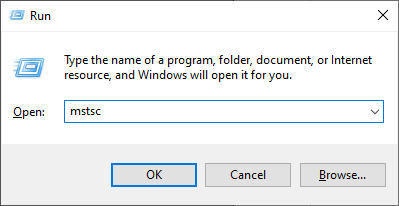
Click
OK
Type the IP Address of the Computer you wish to connect to in the Textbox

Click Connect
You will be prompted for your credentials for the Computer you are connecting to
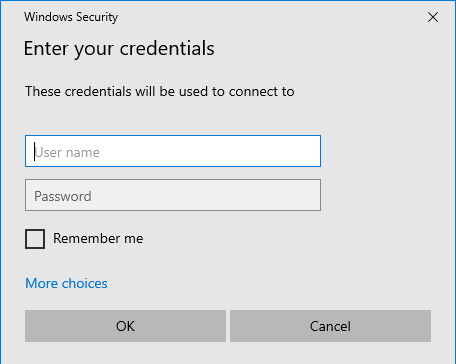
Type
in Both Username and Password and Click OK